
Past Papers
Upload and organise exam papers for students to download and practise with.
Upload a Paper
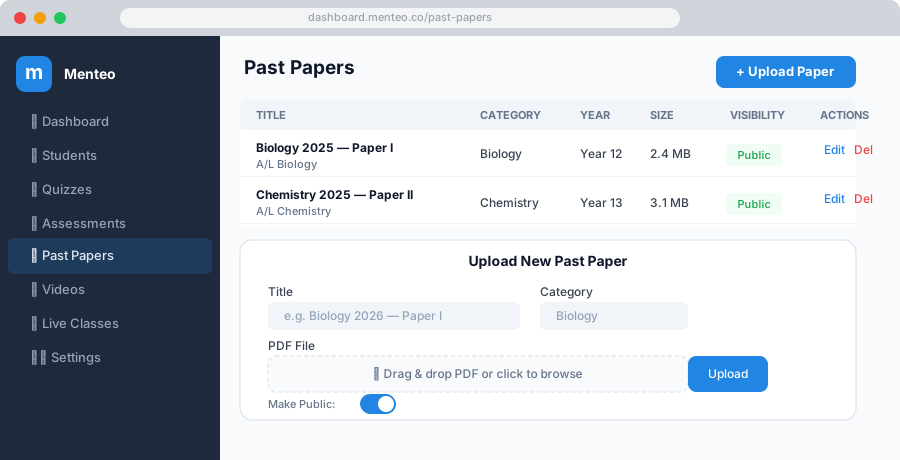
- Click Past Papers in the sidebar
- Click + Upload Paper
- Fill in:
| Field | Description |
|---|---|
| Title | e.g. "2023 June Paper 1" |
| Category | Subject/topic folder (e.g. "Mathematics") |
| Academic Year | Year group this paper is intended for |
| PDF File | The question paper (PDF only) |
| Make Public | Allow guest students to access |
- Click Upload Paper
Organising with Categories
Categories appear as folders in the student view. Use them to group by:
- Subject — Mathematics, Physics, Biology
- Board / Curriculum — A-Level, CBSE, Edexcel
- Year Range — 2020–2024
To create a new category, type a new name in the Category field when uploading.
Editing a Paper
- Click ⋮ → Edit on any paper row
- Update the title, category, year, or replace the PDF
- Click Save Changes
Deleting a Paper
Click ⋮ → Delete on the paper. The PDF is permanently removed from storage.
Student View
Students see all papers in a folder-style archive, organised by category. They can:
- Browse by folder
- Filter by academic year
- Download PDFs directly