
Past Papers
Browse and download past exam papers uploaded by your mentor for revision.
Browsing Past Papers
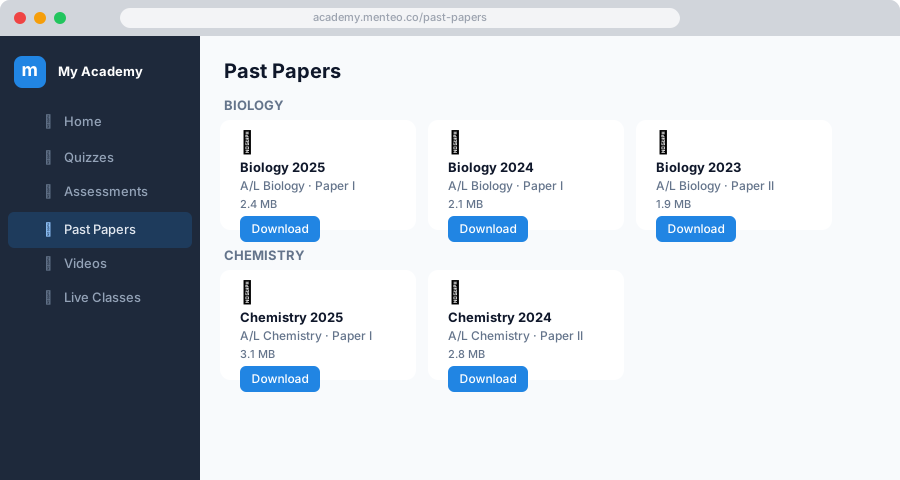
- Click Past Papers in the sidebar
- Papers are organised in folders by subject or topic
- Click a folder to expand it and see the papers inside
Filtering by Year
Use the Academic Year filter at the top to show only papers relevant to your year group.
Downloading a Paper
- Find the paper you want
- Click Download — the PDF opens in your browser or downloads to your device
Tips for Using Past Papers
- Work through papers under timed conditions to simulate exam pressure
- Check the year and board label to make sure the paper matches your syllabus
- After completing a paper, compare your answers with the mark scheme (if your mentor uploaded one)